How to Do Bookkeeping for a UK Small Business: A Complete Beginner's Guide
Everything you need to know about keeping your books in order — from HMRC requirements and bank reconciliation to choosing the right software. No accounting degree required.
What Is Bookkeeping, Exactly?
Let's start with the basics. Bookkeeping is the process of recording every financial transaction that flows through your business — every sale, every purchase, every payment in and out. It's the foundation your entire financial house is built on.
Think of it like this: bookkeeping is keeping a detailed diary of your business's money. Where it came from, where it went, and when. That's it. No complicated formulas, no financial wizardry.
Bookkeeping vs Accounting — They're Not the Same Thing
This trips up a lot of people. Bookkeeping and accounting are related, but they're different jobs. A bookkeeper records transactions. An accountant interprets those records, prepares financial statements, files tax returns, and gives strategic advice.
Here's the simplest way to think about it: bookkeeping is data entry, accounting is data analysis. You need accurate bookkeeping before any useful accounting can happen. Garbage in, garbage out — as the saying goes.
Bookkeeping vs Accounting at a Glance
Bookkeeping: Recording daily transactions, categorising income and expenses, reconciling bank statements, managing invoices and receipts.
Accounting: Preparing financial statements, filing tax returns, forecasting and budgeting, strategic financial advice.
Why Every UK Small Business Needs Proper Bookkeeping
Even if you're a one-person operation working from your kitchen table, bookkeeping isn't optional. Here's why it matters:
It's the law. HMRC requires every business to maintain accurate financial records. Full stop. There's no "too small to bother" exception.
You'll know if you're actually making money. Sounds obvious, but plenty of business owners have no idea whether they're profitable until tax time — and then it's often a nasty surprise.
Tax returns become painless. When your books are tidy throughout the year, filing your Self Assessment or Corporation Tax return is a doddle instead of a panic.
You can make smarter decisions. Should you hire someone? Can you afford that new piece of equipment? Good books give you real answers, not guesses.
Cash flow stays visible. With 62.6% of UK invoices paid late last year, knowing exactly what's owed to you — and what you owe — is critical for survival.

"The business owner who doesn't know their numbers doesn't really know their business. Good bookkeeping isn't admin — it's a competitive advantage."
UK Legal Requirements: What HMRC Expects From You
Let's get the legal bit out of the way. HMRC doesn't care whether you use a leather-bound ledger or a cloud app — but they absolutely do care that you keep proper records. Here's what you need to know.
What Records You Must Keep
According to HMRC, every business must maintain records of:
All sales and income
All business expenses
VAT records (if you're VAT-registered)
PAYE records (if you employ anyone)
Details of personal income (for sole traders)
Grants and any government support payments received
You also need to keep supporting proof — receipts, bank statements, invoices, purchase orders, and till rolls. If HMRC opens an enquiry, "I think I paid about £200 for something" isn't going to cut it.
How Long Must You Keep Records?
This depends on your business structure:
Sole traders and partnerships: At least 5 years after the 31 January Self Assessment deadline for the relevant tax year. So records for 2025–26 (deadline 31 January 2027) must be kept until 31 January 2032.
Limited companies: At least 6 years from the end of the last financial year they relate to. Longer if the records cover transactions spanning multiple periods or involve long-term assets.
Don't ignore this: Failing to keep proper accounting records for a limited company can result in a fine of up to £3,000 from HMRC — and you could be disqualified as a company director. For sole traders, HMRC can charge penalties and estimate your tax bill (usually not in your favour).
Making Tax Digital (MTD) — The Big Change
From 6 April 2026, Making Tax Digital for Income Tax applies to sole traders and landlords with annual income above £50,000. This means you'll need to keep digital records and submit quarterly updates to HMRC using MTD-compatible software.
The thresholds drop further: £30,000 from April 2027 and £20,000 from April 2028. Around 864,000 sole traders are affected initially, and Sage research suggests 70% of them aren't ready yet.
If you haven't already gone digital with your bookkeeping, now is the time. Tools like Sage Accounting are fully MTD-compliant and handle the quarterly submissions for you — no need to wrestle with HMRC's own systems.
Single-Entry vs Double-Entry Bookkeeping
You'll come across these two terms a lot, so let's demystify them.
Single-Entry Bookkeeping
This is the simpler approach. Each transaction gets one entry — either money in or money out. It's basically a glorified spreadsheet. You sold something for £50? Write down "+£50". You bought supplies for £20? Write down "−£20".
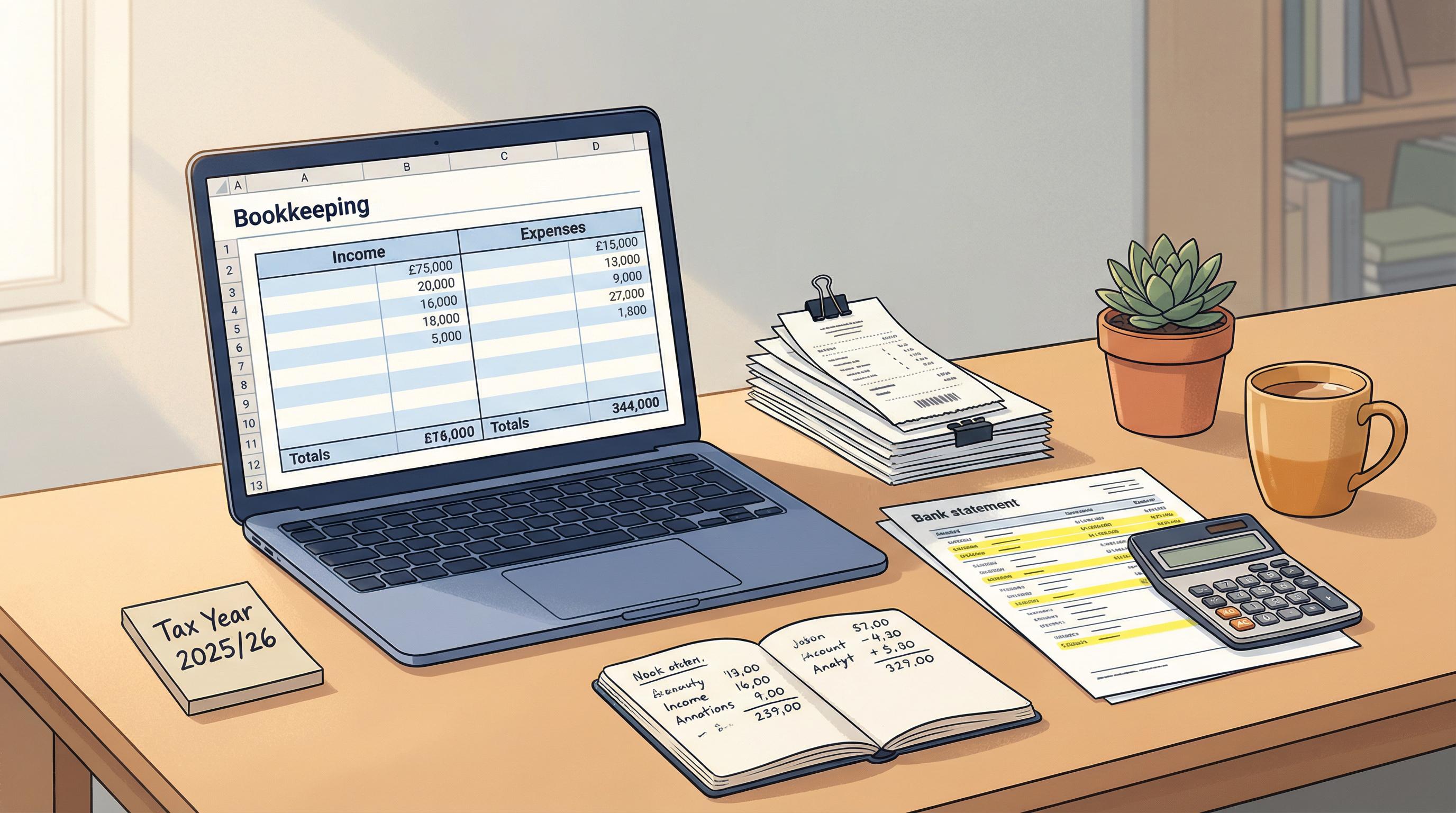
Single-entry works fine if you're a freelancer or sole trader with simple, low-volume transactions. It's quick, easy to understand, and doesn't require any accounting knowledge. But it has limits — you can't track assets, liabilities, or equity, and it won't produce a balance sheet.
Double-Entry Bookkeeping
This is the standard for most businesses. Every transaction is recorded twice — once as a debit and once as a credit. Sell something for £50? You debit your cash account (money in) and credit your sales revenue account (income earned).
It sounds more complicated, and it is — but it gives you a complete picture of your finances, catches errors automatically (because debits must always equal credits), and produces proper financial statements.
Feature Single-Entry Double-Entry Complexity Simple — one record per transaction More involved — two records per transaction Error detection Limited — mistakes are easy to miss Built-in — debits must equal credits Financial statements Basic income/expense only Full balance sheet, profit & loss, cash flow Best for Sole traders, freelancers, very small businesses Growing businesses, limited companies, VAT-registered Scalability Limited — struggles as you grow Excellent — handles complexity well HMRC-friendly Acceptable for simple sole traders Preferred — required for limited companies
The good news? If you use bookkeeping software, you don't actually need to understand the mechanics of double-entry. The software handles all the debits and credits behind the scenes — you just enter your transactions normally, and it does the rest.

The Key Bookkeeping Tasks You'll Need to Do
Bookkeeping isn't one big task — it's a collection of smaller habits. Here's what you'll be doing regularly, broken down by how often.
Task Frequency Why It Matters Record income As transactions happen Tracks all money coming in so nothing slips through the cracks Record expenses As transactions happen Ensures you claim every allowable deduction at tax time Issue & track invoices As needed Get paid on time and know what's outstanding Capture receipts Daily / as they arrive HMRC needs proof of expenses — lost receipts mean lost deductions Bank reconciliation Weekly or monthly Confirms your records match your actual bank balance VAT returns Quarterly (if registered) Legal requirement — late filing means automatic penalties Review cash flow Monthly Spots potential cash shortfalls before they become crises Payroll processing Monthly (if you have staff) Legal PAYE obligation — must report to HMRC each pay period
Recording Income and Expenses
This is the bread and butter of bookkeeping. Every time your business earns money or spends money, it needs recording. That includes cash sales, bank transfers, card payments, and even barter arrangements.
For expenses, make sure you're capturing everything that's allowable — office supplies, software subscriptions, travel costs, professional fees, insurance. These reduce your taxable profit, so missing them literally costs you money.
Top tip: Don't let receipts pile up. Snap a photo of every receipt as soon as you get it using your phone. Sage Accounting lets you photograph receipts and uses AI to categorise them automatically — so you can bin the paper copy and never worry about faded thermal prints again.
Invoicing
If you invoice clients, your bookkeeping needs to track what you've billed, what's been paid, and what's overdue. With UK sole traders owed an average of £42,000 in overdue invoices, staying on top of this isn't just good practice — it's essential for your survival.
A proper invoicing system should let you create professional invoices quickly, send automatic payment reminders, and match payments to invoices when they arrive.
Bank Reconciliation
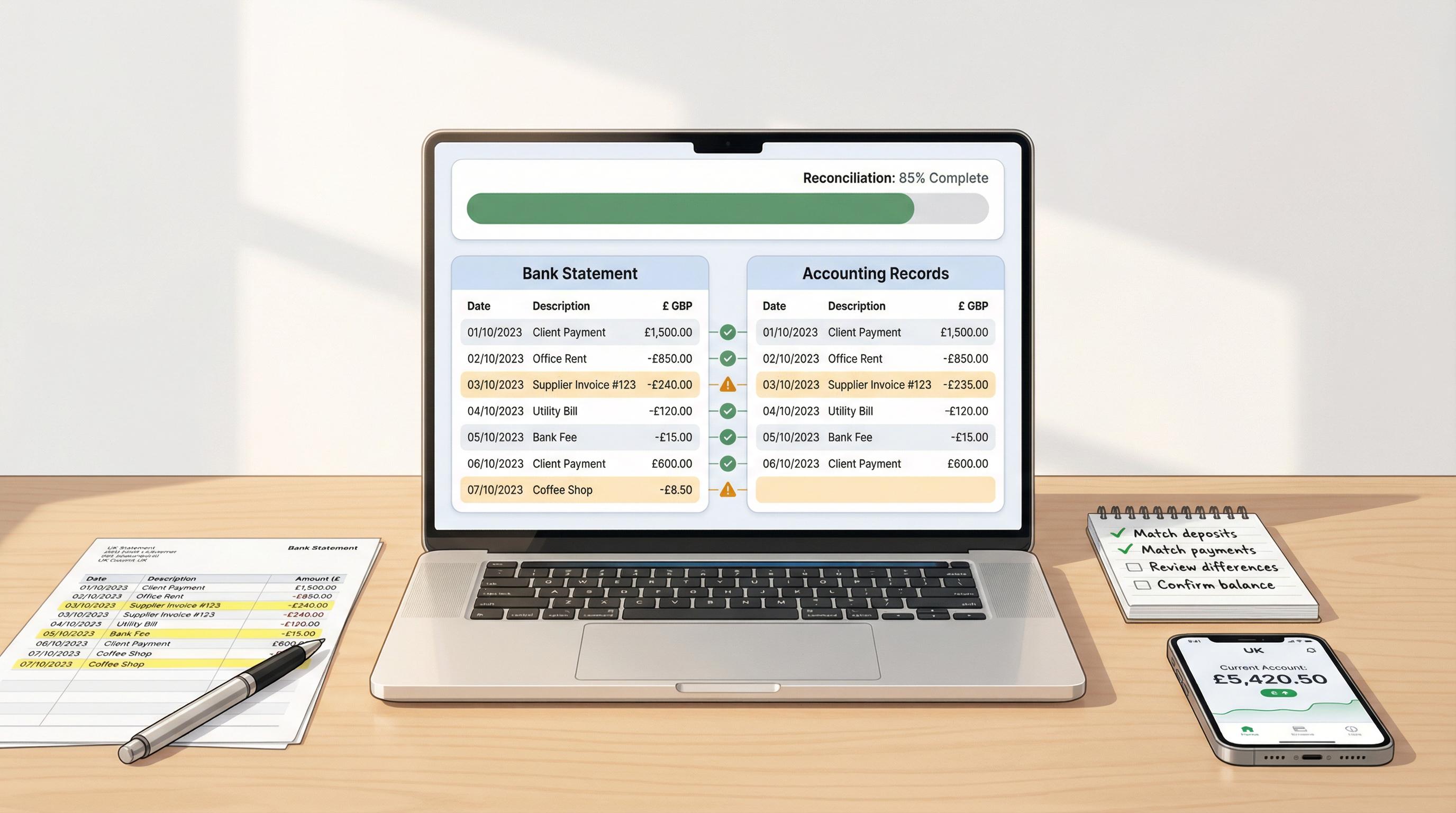
This is where you compare your bookkeeping records against your actual bank statements to make sure they match. It catches errors, identifies missing transactions, and gives you confidence that your numbers are accurate.
It sounds tedious — and manually, it is. But most modern bookkeeping software connects directly to your bank and does this automatically. With Sage, for example, bank feeds pull in your transactions daily, and its AI suggests how to categorise them. What used to take hours now takes minutes.
VAT
If your taxable turnover exceeds £90,000, you must register for VAT. Even below that threshold, you might choose to register voluntarily (it can help if most of your clients are VAT-registered businesses).
Once registered, you'll need to file quarterly VAT returns and pay any VAT owed. Your bookkeeping must track VAT on every sale and purchase, and your software needs to be MTD-compatible for digital submission.
Common Bookkeeping Mistakes Beginners Make
Every new business owner makes at least one of these. Here's what to watch out for so you can avoid the pain.
1. Mixing Personal and Business Finances
This is the number one mistake. Using your personal bank account for business transactions creates a nightmare at tax time. Open a dedicated business bank account on day one — it makes bookkeeping dramatically easier and keeps HMRC happy.
2. Not Recording Transactions Promptly
The "I'll do it later" approach is a trap. A shoebox full of receipts in January doesn't count as bookkeeping. By the time you get around to sorting through them, you've forgotten what half the transactions were for. Record things as they happen, or at least weekly.
3. Losing Receipts
No receipt, no deduction — it's that simple. HMRC can disallow any expense you can't prove with documentation. Digital receipt capture solves this problem entirely.
4. Forgetting About Cash Transactions
Card payments leave an automatic trail, but cash doesn't. If you accept cash payments or pay for things in cash, you need to be especially disciplined about recording these immediately.
5. Not Reconciling Regularly
If you only reconcile your bank account once a year, errors compound over months and become incredibly difficult to untangle. Monthly reconciliation is the minimum; weekly is better.
6. DIY-ing When You Shouldn't
There's nothing wrong with doing your own bookkeeping — but if your business has grown complex (multiple revenue streams, staff, international transactions), getting professional help isn't an expense, it's an investment.
"The biggest expense in business isn't the cost of a bookkeeper — it's the cost of the mistakes you make without one."
DIY Bookkeeping vs Hiring a Professional
Should you do your own bookkeeping or pay someone? It depends on the size and complexity of your business, your comfort with numbers, and how you value your time.
Factor DIY Bookkeeping Hiring a Bookkeeper Typical cost £0–£20/month (software only) £150–£500+/month depending on complexity Time commitment 2–5 hours/week for most small businesses Minimal — you hand off receipts and invoices Accuracy Good with proper software; higher error risk if manual High — professionals catch what you'd miss Knowledge needed Basic understanding of income, expenses, VAT None — they handle the complexity Best for Sole traders, freelancers, small businesses with simple transactions Growing businesses, limited companies, those with employees or multiple revenue streams Tax readiness You still need an accountant for tax returns and filings Bookkeeper prepares everything your accountant needs
For many sole traders and small businesses just starting out, doing your own bookkeeping with good software is perfectly sensible. The average sole trader spends around £753 per year on compliance costs — and much of that can be reduced by handling your own books with the right tools.
The key is using proper software rather than spreadsheets or notebooks. A tool like Sage Accounting automates so much of the process — bank feeds, receipt capture, VAT calculations, invoice tracking — that even a complete beginner can keep accurate books.
How Sage Accounting Makes Bookkeeping Painless
There are several bookkeeping software options on the market, but Sage is one of the most established names in UK business finance — they've been helping British businesses with their books for over 40 years.
Sage Accounting is their cloud-based solution designed specifically for small businesses and sole traders. Here's what makes it particularly good for beginners:
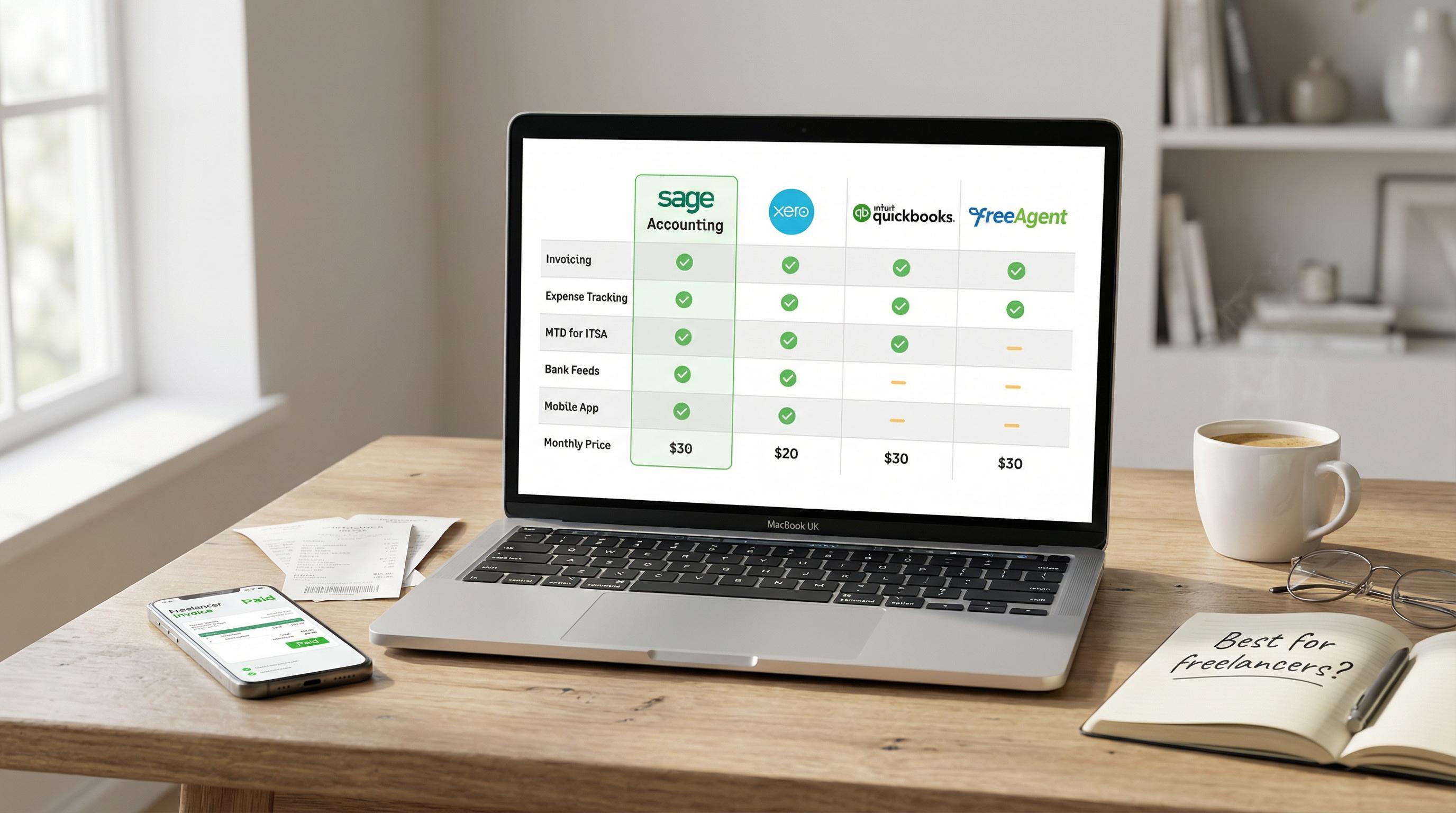
Automatic bank feeds — connects to your bank and pulls in transactions daily, so you're never behind
AI-powered categorisation — Sage's AI learns how to categorise your transactions, reducing manual data entry
Receipt capture — photograph receipts with your phone and the AI extracts the details automatically
Professional invoicing — create and send invoices in seconds, with automatic payment reminders
MTD-compliant VAT — file your VAT returns directly to HMRC from within the software
Sage Copilot — an AI assistant that can chase overdue invoices, flag anomalies, track your VAT threshold, and generate reports using plain English questions
Cash flow insights — see forward-looking projections based on your open invoices and upcoming bills
Worth knowing: Sage Copilot alone saves small business owners an estimated 12+ hours per week across invoice drafting, payment chasing, report automation, and admin tasks. That's time you can spend actually running your business.
Sage Accounting Plans and Pricing
Sage offers a range of plans so you're not paying for features you don't need. Here's how they break down as of March 2026 — and there are currently some significant promotional discounts available via this link:
Plan Price Promo Price Key Features Individual Free £0/month — Non-VAT sole traders, MTD ready, 5 invoices/month Individual Paid £7/month £0.70/month for 12 months Unlimited invoices, AI categorisation Start £18/month £1.80/month for 6 months 1 user, VAT, payroll (1 employee), Copilot AI, MTD Standard £39/month £3.90/month for 6 months 3 users, CIS, custom reports, cash flow forecasting, budgets Plus £59/month £5.90/month for 6 months Unlimited users, multi-currency, stock/inventory management
For most beginners, the Individual Free or Individual Paid plan is plenty. If you're VAT-registered or need payroll, the Start plan at £18/month (or just £1.80/month with the current promotion) covers everything. You can always upgrade as your business grows.
Money-saving tip: If you're just starting out, the Individual Free plan at Sage costs literally nothing and still gives you MTD-ready bookkeeping. It's hard to argue with free.
Getting Started: Your First Steps
Ready to get your bookkeeping sorted? Here's a practical roadmap for the first few weeks.
Week 1: Set Up Your Foundation
Open a business bank account if you don't already have one. Keep it completely separate from personal finances.
Choose your bookkeeping software. Sign up, connect your bank account, and explore the dashboard. Most cloud tools like Sage let you get started in minutes.
Set up your chart of accounts. Most software does this automatically, but review the default categories and add any that are specific to your business.
Decide on your accounting method. Cash basis is the default for most sole traders in the UK and is simpler. You only record income when you receive it and expenses when you pay them.
Week 2: Build Your Habits
Start recording everything. Every transaction, every receipt, every invoice. No exceptions.
Set up recurring transactions for regular bills like rent, subscriptions, and insurance — most software can automate these.
Create your first invoices using your software's invoicing tool, not a Word document or random template.
Reconcile your bank account for the first time. Match up what your software shows with what your bank says.
Week 3 and Beyond: Make It Routine
Block out 30 minutes each week for bookkeeping. Categorise transactions, chase unpaid invoices, review your cash position.
Reconcile your bank weekly or at least monthly.
Review your profit and loss report monthly. Are you making money? Where are costs creeping up?
File your VAT return quarterly if registered — your software will remind you and have everything ready.
The 30-Minute Rule
Most sole traders and small business owners find that 30 minutes a week is enough to keep their books completely up to date — especially with software that automates bank feeds and categorisation. That's less time than you spend scrolling social media. Commit to it and you'll never face a stressful tax season again.
Key Dates Every UK Business Owner Should Know
Pin these to your wall, set calendar reminders, or let your software track them — just don't miss them.
5 April: End of the tax year
6 April: Start of the new tax year (and MTD for Income Tax kicks in for £50k+ from 2026)
31 July: Second payment on account for Self Assessment
31 October: Deadline for paper Self Assessment returns
31 January: Deadline for online Self Assessment and first payment on account
Quarterly: VAT return deadlines (varies based on your VAT quarter) and MTD quarterly updates
9 months after year-end: Limited company accounts due at Companies House
12 months after year-end: Corporation Tax return (CT600) filing deadline
9 months and 1 day after year-end: Corporation Tax payment due
Wrapping Up
Bookkeeping doesn't have to be scary, and it definitely doesn't have to be boring. At its core, it's just keeping track of your money — and with the right tools, it's something any business owner can handle.
The most important things to remember: keep business and personal finances separate, record transactions as they happen (don't let them pile up), reconcile your bank regularly, and use proper software that's MTD-compliant.
You don't need to be perfect from day one. You just need to start. And with free options like Sage Accounting's Individual Free plan, there's genuinely no barrier to getting your bookkeeping sorted today.
Your future self — the one who breezes through tax season while everyone else is scrambling — will thank you.
This article contains affiliate links. If you sign up for Sage through our links, we may earn a commission at no extra cost to you. All opinions and recommendations are based on genuine editorial assessment. This content is for informational purposes only and does not constitute financial or tax advice. Always consult a qualified accountant or tax adviser for guidance specific to your circumstances. Information accurate as of March 2026.