Double-Entry Bookkeeping Explained: What Every Small Business Owner Should Know
It sounds intimidating, but double-entry bookkeeping is simply the idea that every financial transaction has two sides. Here's the plain-English guide you've been looking for.
If you've ever Googled "how does bookkeeping actually work," you've probably run into the phrase double-entry bookkeeping — and promptly closed the tab. It sounds like something reserved for accountants with thick textbooks and even thicker glasses.
But here's the thing: double-entry bookkeeping isn't complicated. It's actually a beautifully simple idea that's been keeping businesses honest since the 15th century. And whether you realise it or not, if you're using modern accounting software like Sage Accounting, you're already doing it.
Let's break it all down — no accounting degree required.
What Double-Entry Bookkeeping Actually Means
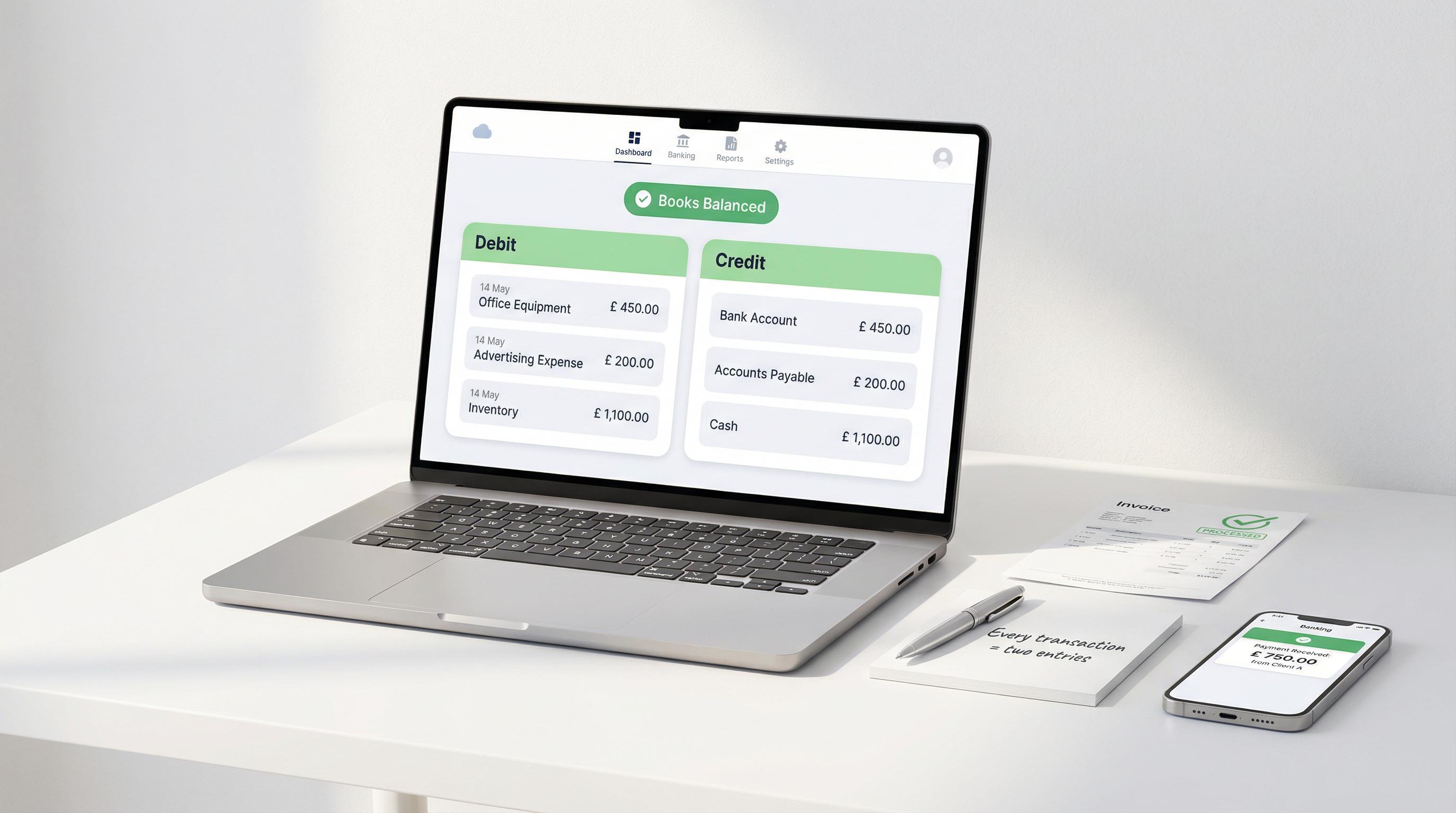
At its core, double-entry bookkeeping is based on one principle: every transaction affects at least two accounts. For every amount that goes into one account (a debit), an equal amount must come out of another (a credit).
Think of it like a seesaw. Both sides must always balance. If you buy £500 of stock for your shop, two things happen simultaneously: your stock goes up by £500, and your bank account goes down by £500. Two entries, one transaction.
The golden rule: Every debit must have an equal and opposite credit. If your books don't balance, something's gone wrong — and that's actually a good thing, because the system is designed to catch mistakes.
This two-sided approach might seem like extra work, but it's the reason your financial reports are accurate, your tax returns add up, and HMRC doesn't come knocking with awkward questions.
The Accounting Equation — Your New Best Friend
Everything in double-entry bookkeeping rests on a single equation:
Assets = Liabilities + Equity
Let's translate that into plain English:
Assets — what your business owns (cash, equipment, stock, money customers owe you)
Liabilities — what your business owes (loans, unpaid supplier bills, credit card balances)
Equity — what's left for you, the owner, after subtracting liabilities from assets (also called "owner's equity" or "capital")
This equation must always balance. Always. If you add £10,000 worth of equipment (an asset), you've either paid cash (reducing another asset), taken out a loan (increasing a liability), or invested your own money (increasing equity). The equation stays in balance no matter what.
Every single transaction your business makes can be explained through this lens. And that's exactly what double-entry bookkeeping does — it records both sides of the equation every time money moves.
Debits and Credits — Without the Headache
This is where most people's eyes glaze over. So let's clear it up once and for all.
Forget what "debit" and "credit" mean in everyday life. In accounting, they're simply labels for the left and right sides of an account:
Debit (Dr) — the left side
Credit (Cr) — the right side
Different types of accounts behave differently when debited or credited:
Account Type Debit (Dr) Increases Credit (Cr) Increases Assets (cash, equipment, stock) ✓ Expenses (rent, wages, utilities) ✓ Liabilities (loans, supplier bills) ✓ Equity (owner's capital) ✓ Revenue (sales, fees earned) ✓
Here's the cheat sheet: assets and expenses increase with debits. Liabilities, equity, and revenue increase with credits. It's the opposite of what you'd expect — and that's okay. You don't need to memorise this if your software handles it for you (more on that shortly).

Real-World Examples That Actually Make Sense
Example 1: You buy £500 of stock with your business debit card.
Your stock (an asset) goes up by £500 — that's a debit. Your bank account (also an asset) goes down by £500 — that's a credit. Two entries, perfectly balanced.
Example 2: A customer pays you £1,200 for a completed project.
Your bank account (asset) goes up by £1,200 — debit. Your sales revenue goes up by £1,200 — credit. Your business is richer, and the books balance.
Example 3: You pay £800 rent for the month.
Your rent expense goes up by £800 — debit. Your bank account (asset) goes down by £800 — credit. Money out, expense recorded.
Tip: You don't need to think about debits and credits manually. Tools like Sage Accounting record both sides automatically every time you log a transaction, reconcile a bank feed, or send an invoice.

How Journals and Ledgers Work
In the double-entry world, transactions flow through two key books:
The Journal (Your Diary of Transactions)
The journal is where transactions are first recorded, in date order. Think of it as a diary — every financial event gets noted as it happens, with the date, the accounts affected, and the debit and credit amounts.
A typical journal entry looks like this:
Date Account Debit (£) Credit (£) 15 Mar 2026 Office Equipment 1,500 15 Mar 2026 Bank Account 1,500 Purchased new laptop for office use
Each journal entry has a brief description (called a "narration") explaining what happened. This is incredibly useful when you're trying to figure out what that mysterious £247 payment was six months later.
The Ledger (Your Organised Filing Cabinet)
Once transactions are recorded in the journal, they get posted to the general ledger. The ledger organises everything by account — so instead of seeing transactions by date, you see all the activity for a specific account in one place.
Your bank account ledger, for instance, shows every debit and credit that touched your bank — giving you a running total at all times. Your rent expense ledger shows every rent payment you've made throughout the year.
In practice, if you're using cloud accounting software, the journal and ledger are managed automatically behind the scenes. Sage Accounting creates both entries the moment you record a transaction — you never need to manually "post" from one book to another.
T-Accounts Explained Visually
Accountants love something called a T-account. It's the simplest way to visualise what's happening in a single account. It looks like a capital letter "T" — debits on the left, credits on the right.
Here's what the bank account looks like after our three examples above:
Bank Account
Debit (Dr)
Customer payment £1,200
Credit (Cr)
Stock purchase £500
Rent payment £800
Debits total £1,200. Credits total £1,300. The balance is £100 on the credit side — meaning your bank went down by £100 overall from these three transactions. Simple as that.
T-accounts are a brilliant learning tool. Once you can sketch a quick T-account on the back of an envelope, you'll understand how any transaction affects your books. But again — your software does this for you. It's just useful to understand why it works.
The Trial Balance — Your Safety Net
A trial balance is a report that lists every account in your ledger along with its debit or credit balance. Its sole purpose? To check that your books balance — that total debits equal total credits.
If they don't match, there's an error somewhere. Maybe a transaction was recorded in one account but not the other, or perhaps someone typed £540 instead of £450. The trial balance catches these mistakes before they snowball into bigger problems.
"The trial balance isn't exciting, but it's your first line of defence against errors. Think of it as spell-check for your finances — it won't catch every mistake, but it'll flag the obvious ones."
Most accounting software generates trial balances automatically at the click of a button. In Sage Accounting, you can pull up a trial balance at any time — it updates in real time as you add transactions, so you're never flying blind.
Common Double-Entry Examples for Small Businesses
Here's a handy reference table showing the most common transactions you'll encounter as a small business owner, along with their debit and credit entries:
Transaction Account Debited Account Credited Customer pays an invoice Bank (asset ↑) Accounts Receivable (asset ↓) You send a sales invoice Accounts Receivable (asset ↑) Sales Revenue (revenue ↑) You pay a supplier Accounts Payable (liability ↓) Bank (asset ↓) You buy equipment with cash Equipment (asset ↑) Bank (asset ↓) You pay monthly rent Rent Expense (expense ↑) Bank (asset ↓) You take out a business loan Bank (asset ↑) Loan (liability ↑) You repay part of a loan Loan (liability ↓) Bank (asset ↓) Owner invests personal money Bank (asset ↑) Owner's Equity (equity ↑) You pay employee wages Wages Expense (expense ↑) Bank (asset ↓) You receive a supplier bill Expense (expense ↑) Accounts Payable (liability ↑)
Notice the pattern? Every single line has both a debit and a credit. The books always balance. That's the magic of double-entry.
Don't panic about memorising this table. When you use accounting software, you simply enter the transaction — "paid rent," "received payment," "bought equipment" — and the software automatically creates the correct double entry behind the scenes. You're doing double-entry bookkeeping without even realising it.
Single-Entry vs Double-Entry Bookkeeping
You might be wondering: if double-entry sounds like more work, why not just use single-entry? Fair question. Let's compare them properly.
What's Single-Entry Bookkeeping?
Single-entry is basically what most people do when they first start tracking money — you write down income and expenses in a list, a spreadsheet, or a notebook. It's essentially a glorified bank statement. Money in, money out, running total.
It works fine for the simplest of sole trader setups. But the moment your business grows beyond a handful of transactions a month, cracks start to appear.

The Side-by-Side Comparison
Feature Single-Entry Double-Entry Complexity Very simple Slightly more involved Error detection Minimal — errors hide easily Built-in — books must balance Financial reports Basic income/expenses only Full balance sheet, P&L, cash flow Tracks assets & liabilities No Yes — complete picture Suitable for VAT Not really Yes — required for VAT returns Audit readiness Poor — hard to verify Strong — full audit trail Scalability Only for micro businesses Works for any size business Fraud prevention Weak Strong — discrepancies are visible Bank reconciliation Manual and tedious Straightforward and automated Best for Personal finances, micro sole traders Any registered business
Important: If you're VAT-registered, running a limited company, or planning to apply for business finance, you'll almost certainly need double-entry bookkeeping. Lenders and HMRC expect proper financial statements — and those can only be produced from a double-entry system.
When Single-Entry Is Fine
If you're a sole trader under the VAT threshold (currently £90,000), dealing in cash, with very few transactions, single-entry can work. A simple spreadsheet tracking income and expenses will keep HMRC happy for Self Assessment.
But even then, you're giving up a lot. You won't know what customers owe you, what you owe suppliers, or what your business is actually worth. You're essentially flying without instruments.
When You Need to Switch to Double-Entry
Make the move when any of these apply:
You're VAT-registered or approaching the £90,000 threshold
You're running a limited company (legally required)
You want to apply for loans or investment
You have stock or inventory to track
You invoice clients and need to track who's paid
You want proper financial reports — profit and loss, balance sheet, cash flow
The good news? If you're using proper accounting software, the transition is painless. You don't need to learn the mechanics — the software handles the double entries for you.
Why Sage Handles All of This Automatically
Here's the part that makes all of the above a lot less scary: you don't have to do any of this manually.
When you use Sage Accounting, every transaction you enter automatically creates the correct double-entry journal behind the scenes. Send an invoice? Sage debits accounts receivable and credits sales revenue. Record a payment? Sage debits your bank and credits accounts receivable. Pay a bill? Sage debits the expense and credits your bank.
You don't see debits and credits. You see invoices, payments, and expenses. The software translates your everyday actions into proper double-entry bookkeeping — and gives you real financial reports as a result.
Here's what that means in practice:
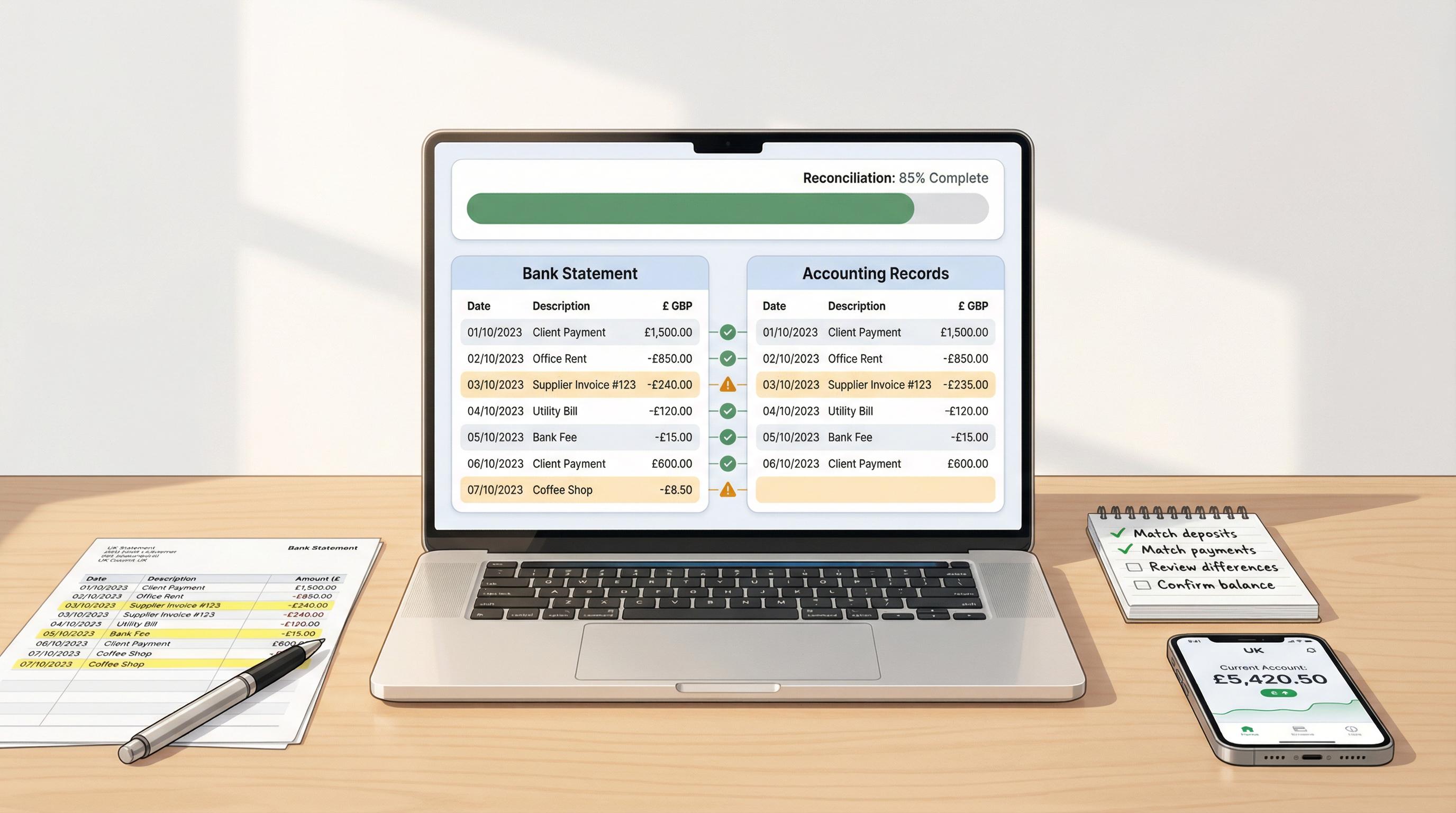
Automatic bank reconciliation — Sage connects to your bank feed and matches transactions, creating the correct double entries as it goes
Real-time trial balance — always available, always up to date, no manual preparation needed
Instant financial reports — profit and loss, balance sheet, and cash flow reports generated from your double-entry data
VAT returns sorted — because your books are properly structured, VAT calculations are accurate and MTD-compliant
Error detection built in — if something doesn't balance, Sage flags it before it becomes a problem
Worth knowing: Sage Accounting's Start plan is just £18/month (or £1.80/month for the first six months) and includes full double-entry bookkeeping, VAT returns, payroll for one employee, and AI-powered features through Sage Copilot. You don't need the expensive plan to get proper books.
Sage Copilot — the built-in AI assistant — can even help you categorise transactions, chase overdue invoices, and spot anomalies in your data. It's like having a junior bookkeeper watching over your shoulder, except it doesn't need tea breaks.
A Quick Word on MTD and Why Double-Entry Matters More Than Ever
Making Tax Digital (MTD) for Income Tax kicks in from 6 April 2026 for sole traders and landlords with income over £50,000. This means digital record-keeping isn't optional any more — it's the law.
While MTD doesn't technically require double-entry bookkeeping, the digital records you'll need to keep are much easier to maintain with a double-entry system. And if you're using MTD-compatible software like Sage, you're already meeting the requirements without any extra effort.
With 70% of sole traders reportedly not ready for MTD, getting your bookkeeping system sorted now — rather than scrambling in April — is well worth the effort.
Frequently Asked Questions
Do I need to understand debits and credits to run my business?
Honestly? No. If you're using accounting software, the debits and credits happen automatically. Understanding the concept is helpful — it'll make your conversations with your accountant more productive — but you don't need to manually record them.
Is double-entry bookkeeping legally required in the UK?
Limited companies are required to keep accounting records that show and explain the company's transactions, which in practice means double-entry. Sole traders aren't strictly required to use double-entry, but it's strongly recommended once your business has any complexity at all.
Can I switch from single-entry to double-entry mid-year?
Yes, though it's easier at the start of a new financial year. If you're moving to proper accounting software, most platforms — including Sage Accounting — will help you set up opening balances so your transition is clean.
What if my trial balance doesn't balance?
Don't panic. It usually means there's a data entry error somewhere — a transaction entered in only one account, a transposed digit, or a missing entry. Modern software minimises these errors because it creates both entries simultaneously, but manual journal adjustments can sometimes throw things off.
Wrapping Up
Double-entry bookkeeping isn't some arcane accounting ritual — it's a practical, logical system that keeps your business finances accurate and trustworthy. Every transaction has two sides. Every debit has a credit. And the books always balance.
The best part? You don't need to manage any of this manually. Modern cloud accounting tools do the heavy lifting, turning your everyday business transactions into proper, auditable, HMRC-friendly records without you needing to think about T-accounts or journal entries.
If you're still tracking things in a spreadsheet, now's a brilliant time to make the switch. Your future self — and your accountant — will thank you.
This article contains affiliate links. If you sign up for Sage through the links in this article, we may earn a commission at no extra cost to you. All opinions and recommendations are based on independent editorial assessment. This content is for informational purposes only and does not constitute financial or tax advice. Please consult a qualified accountant for guidance specific to your circumstances. Information accurate as of March 2026.