Sage 50 vs Sage Accounting: Desktop or Cloud — Which Is Right for Your Business?
Two products, one brand, and a decision that'll shape how you manage your finances for years to come. Here's how to pick the right one without the headache.
If you've spent any time looking at Sage's product lineup, you've probably noticed two names that keep popping up: Sage 50 and Sage Accounting. They sound like they should be the same thing, but they're really not. One's a desktop powerhouse with cloud features bolted on. The other's a fully cloud-based platform built for modern, mobile-first businesses.
Choosing between them isn't just a question of preference — it affects your workflow, your team's access, your costs, and even how your accountant interacts with your books. Get it right, and your accounting runs like clockwork. Get it wrong, and you'll be switching software in eighteen months' time.
This guide breaks down everything: features, pricing, who each product suits best, and when it makes sense to migrate from one to the other. Let's get into it.
What Is Sage Accounting?
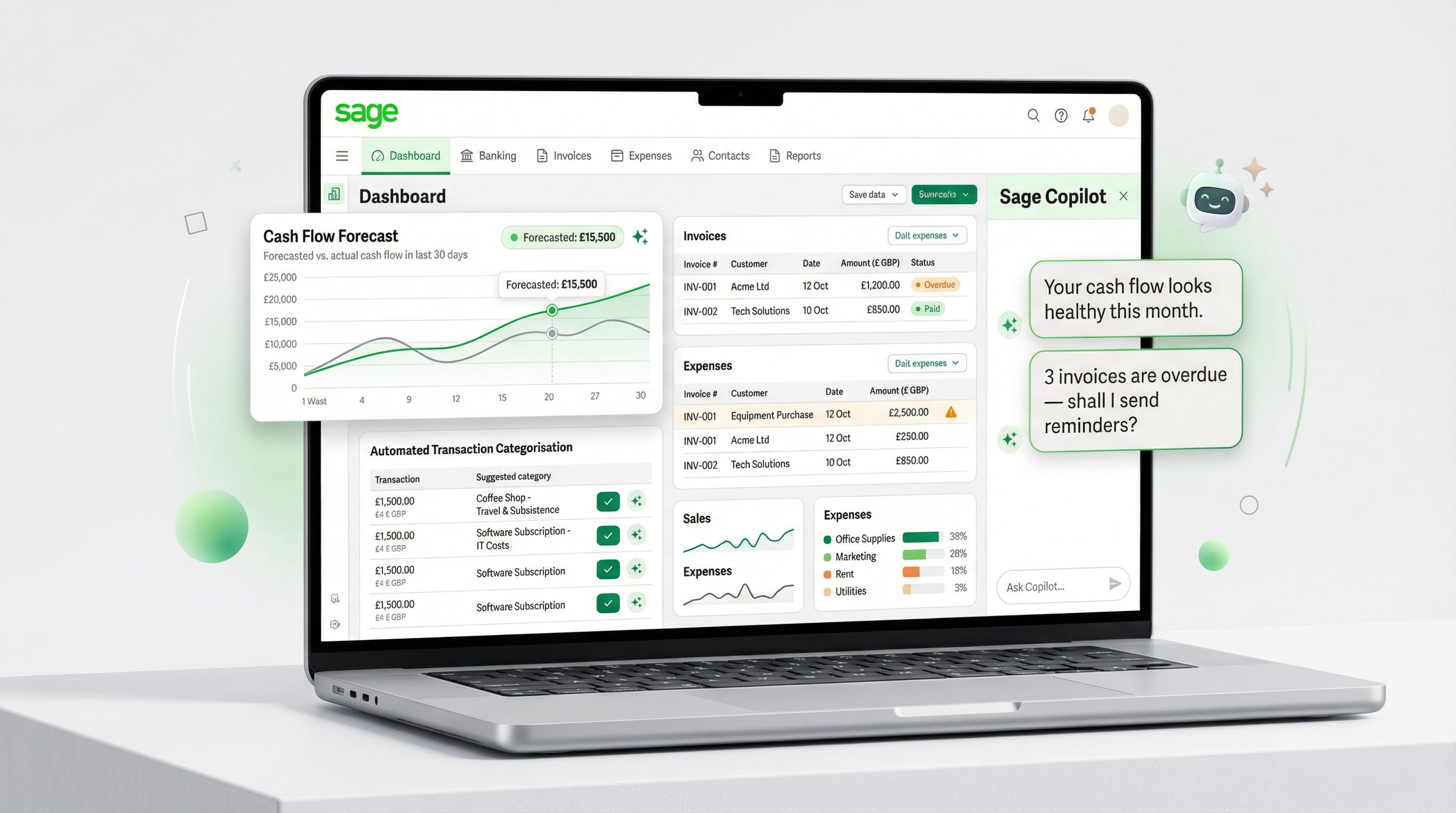
Sage Accounting is a fully cloud-based accounting platform designed for sole traders, freelancers, and small businesses. You access it through your browser — no installation, no desktop app, no fiddling with servers. Open a tab, log in, and you're working.
It's built around simplicity. Invoicing, bank reconciliation, VAT returns, expense tracking, and basic payroll are all handled within a clean, modern interface. There's even a mobile app for iOS and Android, so you can raise invoices or snap receipt photos from a building site or a client meeting.
Sage launched the cloud version specifically for businesses that don't need the heavyweight features of desktop software — and don't want the heavyweight price tag either. If you're a one-person operation or a small team that values flexibility and remote access, this is the product Sage built for you.
What Is Sage 50?
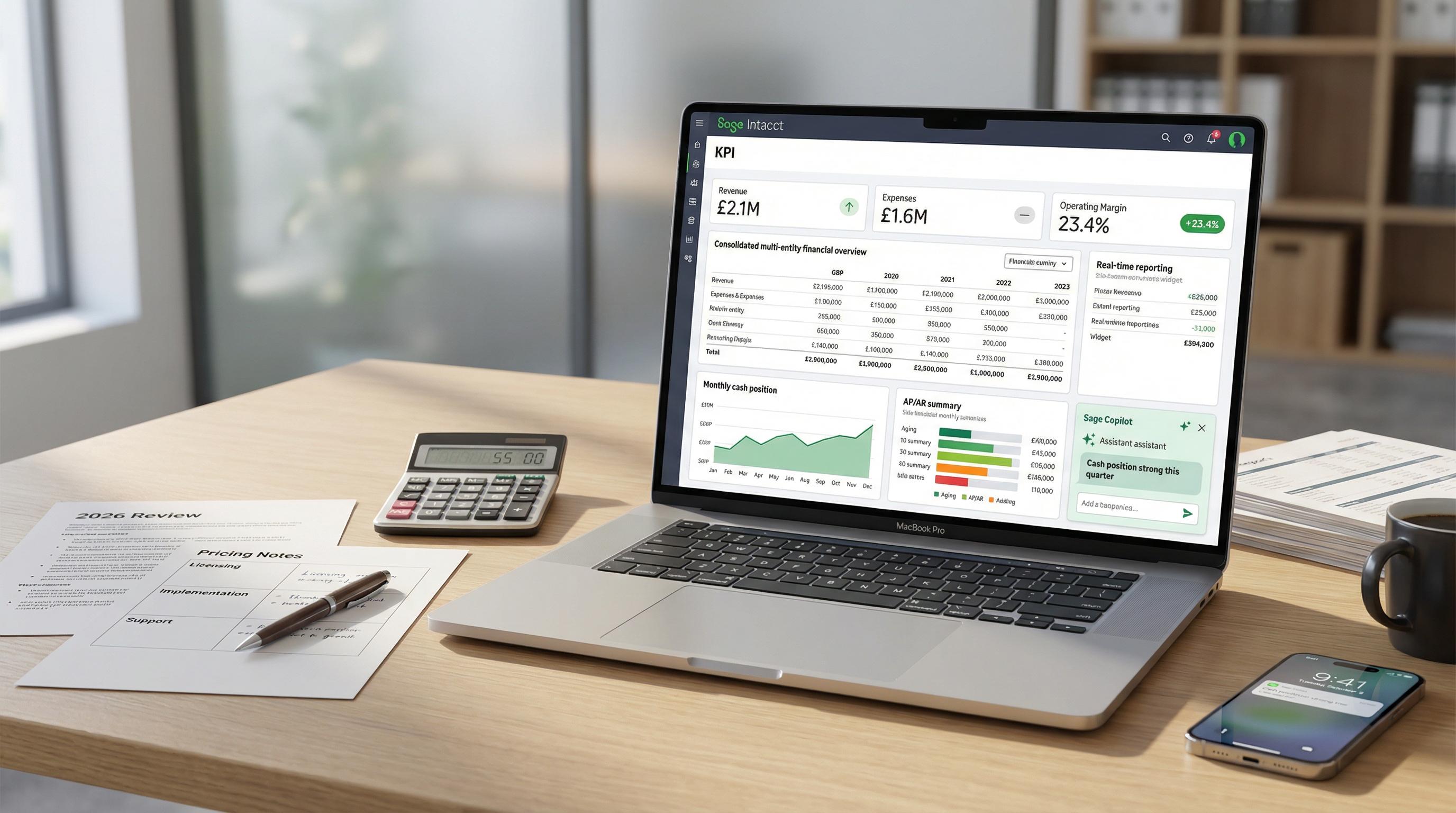
Sage 50 is the veteran of the lineup. It's desktop accounting software — installed on your PC — that's been the backbone of UK small business accounting for decades. But calling it "just desktop software" in 2026 sells it short. Recent updates have added cloud-connected features including remote data access, automatic backups, Microsoft 365 integration, and Sage Copilot AI.
Think of it as the deep-end of Sage's SME offerings. Sage 50 handles sales and purchase order processing, fixed asset registers, project costing, multi-company consolidation, advanced stock management, bill of materials, CIS compliance, and a fully customisable report designer. It's the kind of tool that an in-house bookkeeper or accountant can really get their teeth into.
You can explore both Sage 50 and Sage Accounting plans on the Sage website to see which features matter most for your situation.
Key distinction: Sage Accounting is cloud-native — designed from the ground up for browser-based access. Sage 50 is desktop-native with cloud connectivity added on top. Both are MTD compliant and HMRC recognised, but they serve quite different audiences.
Pricing Comparison
Let's start with the numbers, because for most businesses this is where the decision begins. The pricing gap between the two products is significant, and it reflects the difference in capability and target audience.
Sage Accounting Plans
Plan Standard Price Promo Price Users Key Features Individual Free £0/mo — 1 Non-VAT sole traders, MTD ready, 5 invoices/month Individual £7/mo £0.70/mo for 12 months 1 Unlimited invoices, AI categorisation Start £18/mo £1.80/mo for 6 months 1 VAT returns, payroll (1 employee), Copilot AI, MTD Standard £39/mo £3.90/mo for 6 months 3 CIS, custom reports, cash flow forecasting, budgets Plus £59/mo £5.90/mo for 6 months Unlimited Multi-currency, stock/inventory management
Sage 50 Plans
Plan Price (From) Users Companies Key Features Sage 50 Standard £84/mo Up to 2 Up to 10 Core accounting, invoicing, VAT, payroll, bank reconciliation, Copilot AI, AI Document Capture (50 captures) Sage 50 Professional (1 user) £169/mo 1 Unlimited Everything in Standard + purchase/sales orders, fixed assets, project costing, advanced stock, foreign currency, multi-company reporting, AI Document Capture (75 captures) Professional (5 users) £178.50/mo 5 Unlimited All Professional features, multi-user access Professional (10 users) £187.50/mo 10 Unlimited All Professional features, multi-user access Professional (20 users) £200/mo 20 Unlimited All Professional features, multi-user access
Cost-saving tip: Sage Accounting's promotional pricing is genuinely impressive — you can get the Start plan for just £1.80/month for six months, which is a fraction of even the cheapest Sage 50 option. If you're a new business testing the waters, grabbing the promo pricing is a smart move. Sage 50 offers a 30-day free trial instead.
The takeaway? Sage Accounting starts from free and tops out at £59/month. Sage 50 starts at £84/month and runs to £200/month for a full 20-user Professional setup. That's a meaningful gap — but then again, you're getting meaningfully different software.

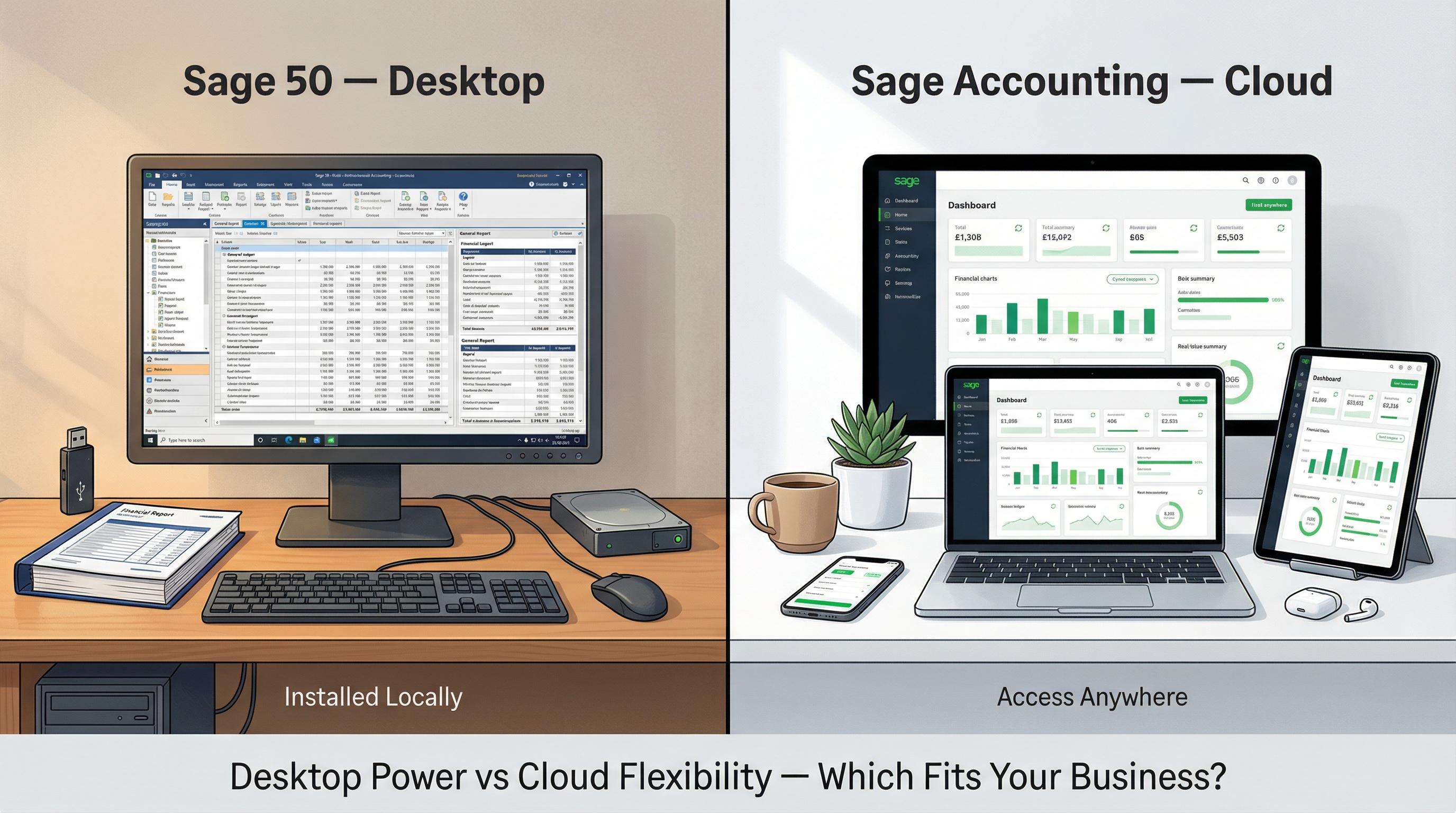
Desktop vs Cloud: The Fundamental Difference
Before diving into individual features, it's worth understanding what the desktop-vs-cloud distinction actually means in practice — because it touches everything else.
Sage Accounting (Cloud)
Access anywhere: Browser-based on any device — Windows, Mac, tablet, phone. No installation needed.
Automatic updates: New features and security patches roll out seamlessly. You're always on the latest version.
Automatic backups: Your data lives in the cloud. No manual backup routine required.
Collaboration: Multiple users can work simultaneously from different locations — ideal for remote teams and external accountants.
Mobile app: Full iOS and Android app for on-the-go invoicing, receipt capture, and bank reconciliation.
Sage 50 (Desktop with Cloud Features)
Installed locally: Runs on your Windows PC. Requires installation and periodic updates.
Cloud connectivity: Remote Data Access lets you and your accountant view data online. Automatic cloud backups are included.
Performance: Desktop apps generally handle large datasets and complex reports faster than browser-based software.
Control: Your data is stored locally (with cloud backup). Some businesses prefer this for compliance or security reasons.
Windows only: No native Mac support. No mobile app — though remote data access provides some flexibility.
"The best accounting software is the one your team will actually use every day. A powerful desktop tool collecting dust is less valuable than a simpler cloud app that everyone logs into."
Feature-by-Feature Comparison
Here's where things get granular. Both products handle the basics well — invoicing, bank feeds, VAT returns, and bank reconciliation are solid across the board. The differences show up in advanced features.
Feature Sage Accounting Sage 50 Deployment 100% cloud (browser + mobile app) Desktop with cloud connectivity Invoicing ✔ All plans (5/mo on Free, unlimited on paid) ✔ All plans Bank Feeds & Reconciliation ✔ All plans ✔ All plans MTD VAT Submissions ✔ Start and above ✔ All plans Payroll ✔ Start and above (1 employee included; add-on for more) ✔ All plans (integrated) Sage Copilot AI ✔ 1 user included on all plans ✔ Included in Standard and Professional AI Document Capture ✔ Standard (30 captures) & Plus (100 captures) ✔ Standard (50 captures) & Professional (75 captures) CIS Compliance ✔ Standard and above ✔ All plans Sales/Purchase Order Processing ✘ Not available ✔ Professional Fixed Asset Register ✘ Not available ✔ Professional Project Costing Analysis tags only (Standard+) ✔ Full project costing (Professional) Multi-Currency ✔ Plus plan only ✔ Professional Stock/Inventory Basic (Plus plan) Advanced (Professional) — includes BOM Custom Report Designer ✘ Not available ✔ Full Report Designer + Excel integration Multi-Company Consolidation ✘ Not available ✔ Professional Advanced Budgets Basic budgets (Standard+) ✔ Advanced budgeting Audit Trail & Verification Basic ✔ Full audit reports Maximum Users Unlimited (Plus plan) Up to 20 concurrent (Professional) Mobile App ✔ iOS & Android ✘ Remote Data Access only Mac Support ✔ Browser-based (works on any OS) ✘ Windows only
The pattern is clear. Sage Accounting covers the essentials brilliantly and adds convenience through cloud access and mobile apps. Sage 50 goes considerably deeper on advanced accounting features — order processing, asset management, project costing, and reporting power that cloud software simply can't match yet.
User Limits and Team Access
This one catches people out. On the surface, Sage Accounting's Plus plan looks generous — unlimited users for £59/month. But there's nuance here.
Sage Accounting's user model is straightforward: the Start plan is single-user, Standard gives you three, and Plus offers unlimited access. Everyone logs in through their browser, and there's no additional software to install. Granting your accountant access is as simple as sending an invite.
Sage 50 takes a different approach with concurrent user licensing. The Standard plan supports up to two users working at the same time, while Professional scales from one to twenty concurrent users. The multi-user pricing is remarkably good value — jumping from 1 to 5 users on Professional only adds about £9.50/month, and going all the way to 20 users costs just £200/month total.
For accountant access: Sage Accounting makes it incredibly easy — your accountant logs in from anywhere with their own credentials. With Sage 50, your accountant can use Remote Data Access to view your books online, or they can access the desktop software directly if they're on-site. The cloud option is unquestionably simpler for accountant collaboration.
Reporting Capabilities
If reporting is central to how you run your business, this section matters a lot.
Sage Accounting provides a solid set of standard reports — profit and loss, balance sheet, aged debtors and creditors, VAT returns, and cash flow statements. From the Standard plan upwards, you also get custom reports and departmental profit and loss analysis. They're clean, they update in real-time, and you can share them with your accountant in a couple of clicks.
Sage 50 is in a completely different league when it comes to reporting. It includes a full Report Designer that lets you build bespoke reports from scratch, Excel-integrated reporting for complex analysis, departmental balance sheets, batch reporting across multiple periods, and multi-company consolidation reports. If you've ever found yourself exporting data into a spreadsheet to get the report you actually need, Sage 50 probably has it built in.
"For most sole traders and micro-businesses, Sage Accounting's reports are more than sufficient. It's when you need departmental P&Ls, consolidated group reports, or custom layouts for board packs that Sage 50 earns its keep."
Integrations and Ecosystem
Both products connect with the wider Sage ecosystem and third-party tools, but the integration landscape differs.
Sage Accounting integrates with Stripe and GoCardless for payments, connects with Open Banking for automatic bank feeds, and works with tools like Syft Analytics for enhanced financial reporting. It also links to Sage Payroll as an add-on. Being cloud-native, it plays nicely with other web-based tools and the Sage Marketplace.
Sage 50 connects with Microsoft 365, integrates with CRM platforms like HubSpot and SugarCRM through third-party connectors like Commercient SYNC, and has a long-established ecosystem of add-ons. The Sage Marketplace offers integrations for ecommerce, inventory, and payroll. Because Sage 50 has been around for decades, you'll find an industry of consultants and integration specialists who know it inside out.
Both products include Sage Copilot, the AI-powered assistant that helps with invoice drafting, payment chasing, anomaly detection, and VAT insights. This is a genuinely useful feature on either platform — Sage claims it saves users around 12 hours per week across its various automation capabilities.
Ease of Use
Let's be honest: Sage Accounting is the easier product to learn. It was designed for business owners who aren't accounting specialists. The interface is clean, the navigation is intuitive, and you can be up and running within an hour. The mobile app extends that simplicity to your phone.
Sage 50 has a steeper learning curve. It's not unfriendly — but it's professional-grade accounting software with decades of features. New users typically need a few hours of familiarisation, and more advanced features like the Report Designer or project costing may require training. That said, if you've used any version of Sage 50 before, the latest releases feel familiar whilst adding modern touches like Copilot AI.
For a sole trader or small team without a dedicated bookkeeper, Sage Accounting is almost always the better fit in terms of usability. If you have an in-house finance person (or you are the finance person with proper bookkeeping knowledge), Sage 50's depth is an advantage rather than a burden.
Industry Fit
Different businesses gravitate towards different products, and there are clear patterns:
Sage Accounting works well for:
Sole traders and freelancers
Service-based businesses (consultants, designers, coaches)
Startups and micro-businesses with simple accounting needs
Businesses where the owner handles the books
Remote or hybrid teams that need anywhere-access
Mac users (Sage 50 doesn't run on macOS)
Sage 50 works well for:
Established SMEs with 5-50 employees
Product-based businesses needing advanced stock management and bill of materials
Construction companies requiring full CIS and project costing
Businesses running multiple companies that need consolidation
Companies with an in-house bookkeeper or finance team
Businesses dealing with foreign currencies and complex invoicing
Any business that needs custom report layouts or advanced audit trails
Watch out: If you're a product-based business with complex inventory needs — think bill of materials, stock allocations, purchase order processing, and stock-take workflows — Sage Accounting won't cover you, even on the Plus plan. That's Sage 50 Professional territory, or potentially even Sage 200 if you're growing fast.
Mobile Access
This is a clear win for Sage Accounting. The mobile app lets you create and send invoices, capture receipts with your camera, reconcile bank transactions, check cash flow, and manage expenses — all from your phone. It syncs automatically with the web version, so everything stays up to date.
Sage 50 doesn't have a dedicated mobile app. You can access some features through Remote Data Access via a browser, and the cloud-connected elements like automatic backups and Microsoft 365 integration add flexibility. But if you genuinely need to work on accounting tasks from your phone regularly, Sage Accounting is the obvious choice.
Which Is Right for You?
Here's the quick-reference guide to help you decide:
Your Situation Best Choice Why Sole trader, no VAT registration Sage Accounting (Individual Free or Individual) Free or just £0.70/mo — handles everything you need Freelancer or small service business Sage Accounting (Start) VAT, basic payroll, Copilot AI, mobile app — £1.80/mo promo Small business, 2-3 people, growing Sage Accounting (Standard or Plus) Multi-user, CIS, cash flow forecasting, affordable Established SME, dedicated bookkeeper Sage 50 Standard Deep accounting features, payroll, custom reports, 2 users Multi-company operation, 5+ staff Sage 50 Professional Unlimited companies, consolidation, up to 20 users Product business with complex stock Sage 50 Professional Advanced stock, BOM, purchase/sales orders, project costing Construction business (CIS-heavy) Sage 50 Standard or Professional Full CIS support, project costing, subcontractor management Mac user or fully remote team Sage Accounting Browser-based, works on any OS, mobile app included Budget-conscious startup Sage Accounting (Individual Free or Start promo) Start from £0 or £1.80/mo — test the waters risk-free
Migration: Moving from Sage 50 to Sage Accounting (or Vice Versa)
Businesses change, and sometimes the software that was right two years ago isn't right today. The good news is that Sage provides a clear migration path between the two products.
Moving from Sage 50 to Sage Accounting
Sage offers a dedicated Migration Tool that runs on the computer where Sage 50 is installed. It converts your Sage 50 data — including chart of accounts, customers, suppliers, and up to two years of transactional history — into Sage Accounting format. There's a validation routine built in to catch any issues before migration.
A few things to keep in mind:
You'll need Sage 50 version 24 or above for the migration tool to work.
Foreign Trader data can't be migrated automatically due to exchange rate rounding differences — you'd need to start fresh with opening balances.
Companies that have switched VAT schemes may need the Opening Balances migration option.
Only posted invoices transfer — make sure all invoices are updated to the ledgers before you begin.
VAT returns should be up to date, as they'll be rebuilt in Sage Accounting.
Moving from Sage Accounting to Sage 50
Going the other direction — typically when a business outgrows cloud accounting — involves exporting your data from Sage Accounting via CSV files and importing into Sage 50. It's a manual process, but Sage 50's import tools are well-established. Your accountant can usually handle this in an afternoon.
Pro tip: If you're on the fence, Sage Accounting's promotional pricing makes it essentially risk-free to try cloud accounting for six months. And Sage 50 offers a full 30-day free trial. There's no reason not to test before you commit.
Making the Decision
Here's the simplest way to think about it:
Choose Sage Accounting if you want simplicity, affordability, anywhere-access, and a mobile app — and your accounting needs are relatively straightforward. It's brilliant for what it does, and the pricing (especially during promotional periods) is hard to beat.
Choose Sage 50 if you need power. Purchase orders, fixed assets, project costing, multi-company consolidation, advanced inventory, custom report design, and deep audit trails. If your accountant or bookkeeper has ever said "I wish the software could do this," Sage 50 probably can.
Neither product is objectively "better" — they're built for different stages of business growth and different levels of accounting complexity. A freelance graphic designer and a construction company with thirty subcontractors both deserve great software. They just don't need the same software.
Whatever you decide, both products are MTD compliant, HMRC recognised, and include Sage Copilot AI. You can compare current plans and pricing on the Sage website to see exactly what's included at each tier.
This article contains affiliate links. If you click through and make a purchase, this site may earn a commission at no extra cost to you. All pricing is accurate as of March 2026, excludes VAT, and is subject to change. Promotional pricing has limited availability — check the Sage website for current offers. This content is for informational purposes only and does not constitute financial advice.