How to Read a Profit and Loss Report: A Plain English Guide for UK Business Owners
Your P&L isn't just an accounting document — it's the story of how your business actually makes (or loses) money. Here's how to read it, understand it, and use it to make smarter decisions.
Why the P&L Matters More Than You Think
If you only ever look at one financial report, make it your profit and loss statement. It's the single most important document your business produces — more useful than your bank balance and far more actionable than a tax return.
Your P&L (sometimes called an income statement) tells you whether your business is actually making money. Not "feels like it's doing okay" money, but real, calculated, everything-accounted-for money. It's the difference between guessing and knowing.
And yet most small business owners either ignore it or stare at the numbers without really understanding what they mean. That's not a criticism — nobody teaches you this stuff when you start a business. But it does cost you.
"Revenue is vanity, profit is sanity, cash is reality." It's an old saying, but it's old because it's true. Your P&L is where the sanity lives.
Without understanding your P&L, you can't answer basic questions like: Are my prices right? Can I afford to hire? Should I drop that product line? These aren't academic questions — they determine whether your business thrives or just survives.
What a P&L Actually Is
At its simplest, a profit and loss report is this: money in, minus money out, over a specific period. That's it. Everything else is detail about which money came in and which money went out.
Unlike your balance sheet (which shows what you own and owe at a single point in time), your P&L covers a period — a month, a quarter, or a year. It answers one fundamental question: did you make more than you spent?
P&L vs Balance Sheet vs Cash Flow
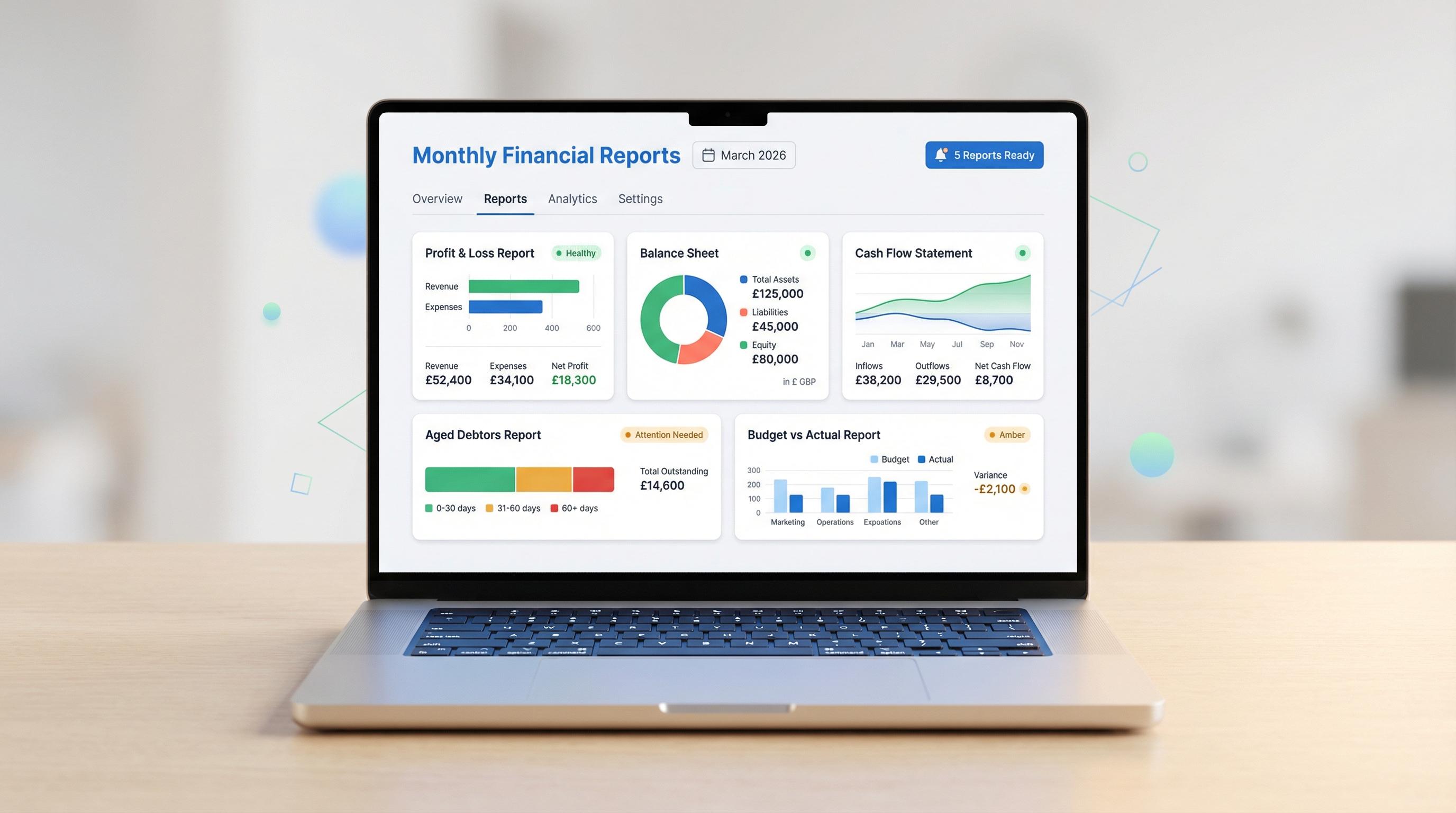
Think of it this way: your P&L tells you if you're profitable. Your balance sheet tells you what you're worth. Your cash flow statement tells you if you've actually got money in the bank. You need all three, but the P&L is your starting point.
In the UK, Companies House requires limited companies to file accounts that include a P&L (or income statement). Sole traders and partnerships need one too — it forms the backbone of your Self Assessment tax return. And with Making Tax Digital for Income Tax starting from April 2026 for those earning over £50,000, having a clear, up-to-date P&L isn't optional anymore — it's a legal requirement.

The Anatomy of a P&L — Each Section in Plain English
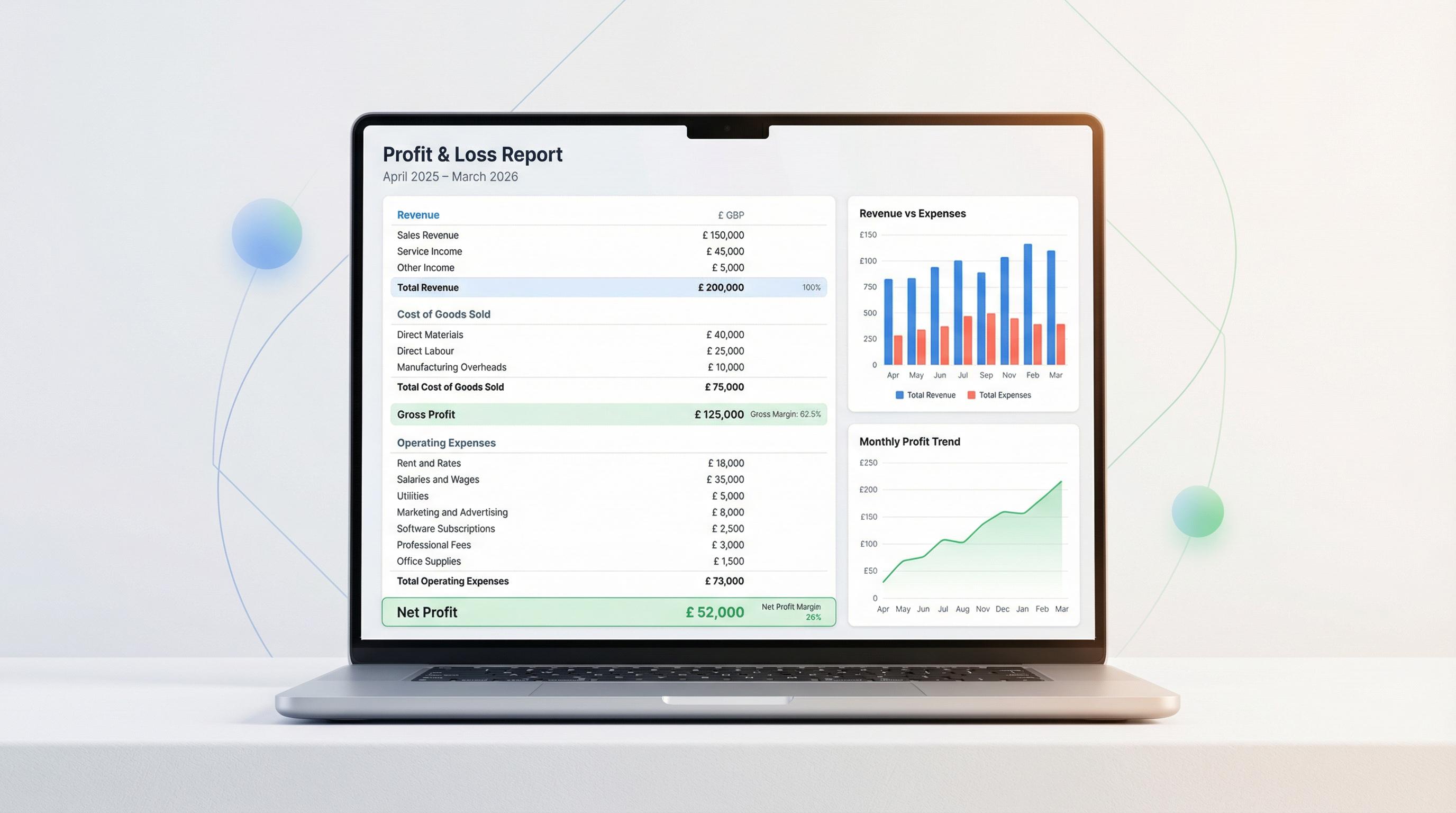
A P&L reads from top to bottom, and each line tells you something specific. Let's walk through every section so you know exactly what you're looking at.
1. Revenue (the top line)
This is everything your business earned from its core activities during the period. If you're a consultant, it's your fees. If you sell candles, it's your candle sales. If you run a café, it's what came in from food and drinks.
Revenue is sometimes called "turnover" or "sales" — they all mean the same thing. It's always the first number on your P&L, which is why people call it the "top line."
One important thing: revenue is what you invoiced or earned, not necessarily what's landed in your bank account. If you sent a £5,000 invoice in March but the client paid in April, that £5,000 still appears in your March P&L.
2. Cost of Goods Sold (COGS)
These are the direct costs of delivering whatever you sell. For a product business, that's materials, manufacturing, packaging, and shipping. For a service business, it might be subcontractor fees or direct labour costs.
COGS only includes costs directly tied to production or delivery. Your office rent isn't COGS. But the ingredients in your bakery's sourdough? Absolutely COGS.
3. Gross Profit — what's left after direct costs
Revenue minus COGS equals gross profit. This number tells you how much you've got to play with before paying for everything else — rent, salaries, software, marketing, and all the other costs of keeping the lights on.
The formula: Revenue − Cost of Goods Sold = Gross Profit. If your gross profit is thin, no amount of cost-cutting elsewhere will save you — your pricing or your delivery costs need to change first.
4. Operating Expenses (overheads)
All the costs of running your business that aren't directly tied to producing what you sell. Think of them as the cost of keeping the engine running, regardless of how many sales you make. Common ones include:
Rent and business rates — your premises costs
Salaries and wages — including employer's National Insurance and pension contributions
Software and subscriptions — your accounting software, CRM, email tools
Marketing and advertising — Google Ads, social media, print
Insurance — professional indemnity, public liability, employers' liability
Travel and vehicle costs
Professional fees — accountant, solicitor
Depreciation — the gradual write-down of equipment and assets
Operating expenses tend to be more predictable than COGS, but they're also where money quietly disappears. That software subscription you forgot about? The trade show that generated zero leads? All in here.
5. Operating Profit — the real measure of performance
Gross profit minus operating expenses gives you operating profit. This is arguably the most important number on your P&L — it shows how well your operations perform before interest, tax, or one-off items muddy the water.
A business with strong revenue but weak operating profit is busy but not efficient. Efficiency is what keeps you solvent long-term.
6. Other Income and Expenses
Below operating profit, you'll find items that aren't part of your day-to-day business. This includes:
Interest income — if your business savings account earned interest
Interest expense — loan repayments, overdraft charges
One-off gains or losses — selling an asset, a legal settlement, insurance payouts
These are separated because they don't reflect your day-to-day performance. Selling your company van for a profit is nice, but it's not a repeatable strategy.
7. Net Profit (the bottom line)
After everything — revenue, COGS, operating expenses, other income, other expenses, and tax — what's left is your net profit. This is the famous "bottom line." It's what your business actually kept.
If it's positive, you made money. If it's negative, you made a loss. Simple — but getting to that number tells you an enormous amount about where your money goes and why.
Tip: Don't just look at net profit in isolation. A business can show a healthy net profit while masking problems higher up the P&L — like shrinking gross margins or ballooning overheads. Read the whole report, top to bottom.
Example P&L for a UK Small Business
Let's bring this to life. Here's a simplified P&L for a fictional company — Brightside Digital, a small marketing agency based in Manchester with six employees, for the year ending March 2026.
Line Item Amount (£) Revenue £485,000 Cost of Goods Sold (freelancers, software licences, media spend) (£145,500) Gross Profit £339,500 Salaries & wages (inc. NI, pensions) (£178,000) Office rent & business rates (£28,800) Marketing & advertising (£12,400) Software & subscriptions (£9,600) Insurance (£3,200) Travel & entertainment (£6,500) Professional fees (accountant, legal) (£5,400) Depreciation (£4,200) Other operating expenses (£7,900) Total Operating Expenses (£256,000) Operating Profit £83,500 Bank interest received £620 Loan interest paid (£2,100) Profit Before Tax £82,020 Corporation Tax (25%) (£20,505) Net Profit £61,515
You can immediately see the story. Brightside turns 70% of revenue into gross profit — healthy for a services business. Salaries are the biggest single cost (as you'd expect for an agency). After everything, they kept 12.7% as net profit. Not bad at all.
This is exactly the kind of report that Sage Accounting generates automatically from your recorded transactions — no spreadsheet acrobatics required.
Three Key Margins Every Owner Should Calculate
Raw profit numbers are useful, but margins are where the real insight lives. Margins express profit as a percentage of revenue, so you can track them over time and benchmark against your industry — whether your revenue is £50,000 or £5 million.
Gross Profit Margin
Formula: (Gross Profit ÷ Revenue) × 100
Using Brightside's numbers: (£339,500 ÷ £485,000) × 100 = 70.0%
This tells you how much of every pound is left after direct costs. If your gross margin is 70%, you keep 70p from every £1 to cover overheads and profit. If it's dropping, either your prices are too low or your direct costs are climbing.
Operating Profit Margin
Formula: (Operating Profit ÷ Revenue) × 100
Brightside's: (£83,500 ÷ £485,000) × 100 = 17.2%
The truest measure of business efficiency. It strips out interest and tax — things you can't easily control — and shows what your core operations actually produce.
Net Profit Margin
Formula: (Net Profit ÷ Revenue) × 100
Brightside's: (£61,515 ÷ £485,000) × 100 = 12.7%
What you actually keep from every pound of revenue after absolutely everything is paid. This is the number your bank manager, investors, and (let's be honest) you care about most.
Track all three. A healthy gross margin with a weak net margin means your overheads are the problem. A weak gross margin means your pricing or direct costs need attention first — cutting overheads won't fix a fundamentally unprofitable product.
Healthy Margin Benchmarks by UK Industry
It's hard to know whether your margins are "good" without context. A 5% net margin would be outstanding in construction but worrying in tech. Here's a rough guide based on typical UK small business performance.
Industry Gross Margin Operating Margin Net Margin Retail (general) 25–45% 4–10% 2–5% Professional Services 50–75% 15–25% 10–20% Construction 20–35% 5–10% 2–7% Technology / SaaS 60–80% 15–30% 10–25% Hospitality / Food 60–70% 5–12% 3–8% Manufacturing 25–40% 8–15% 5–10%
These are broad ranges, not hard rules. A well-run construction firm can beat a poorly-managed tech company. But if your margins are significantly below your industry's typical range, that's a signal to dig deeper.
Tip: With Sage Accounting's Standard plan, you can build custom reports that track your margins month-by-month and compare them to previous periods — making it much easier to spot trends before they become problems.
How to Spot Warning Signs in Your P&L
A P&L doesn't just tell you what happened — it tells you what's about to happen, if you know what to look for. Here are the red flags to watch.
Costs growing faster than revenue
If your revenue grew 10% this year but your operating expenses grew 18%, you've got a problem that'll only get worse. Growth should bring efficiency, not the opposite. Compare each major cost category's percentage increase against revenue growth — every period.
Shrinking gross margins
If your gross margin was 65% last year and it's 58% this year, something fundamental has shifted. Maybe your suppliers raised prices and you haven't passed the increase on. Maybe you're discounting too heavily. Whatever the cause, shrinking gross margins are structural — they won't fix themselves.
Watch out: A business can grow revenue every year and still go bust if its margins are shrinking. Turnover is meaningless without profitability. Don't celebrate revenue growth until you've checked what it's costing you to achieve it.
One-off items masking the real picture
Did you sell equipment this year? Receive an insurance payout? Those are one-off windfalls that won't repeat. If your net profit looks healthy only because of non-recurring items, your underlying business is weaker than the headline suggests. Always look at operating profit separately — that's the number showing what happens when nothing unusual occurs.
One category dominating expenses
If a single line item — usually salaries — represents more than 50–60% of total operating expenses, you're exposed. One bad quarter could wipe out your profit entirely.
"The P&L doesn't lie. It might not tell you everything, but what it does tell you is the truth. Your job is to read it often enough to hear what it's saying."
P&L vs Cash Flow — Why Profitable Businesses Still Run Out of Money
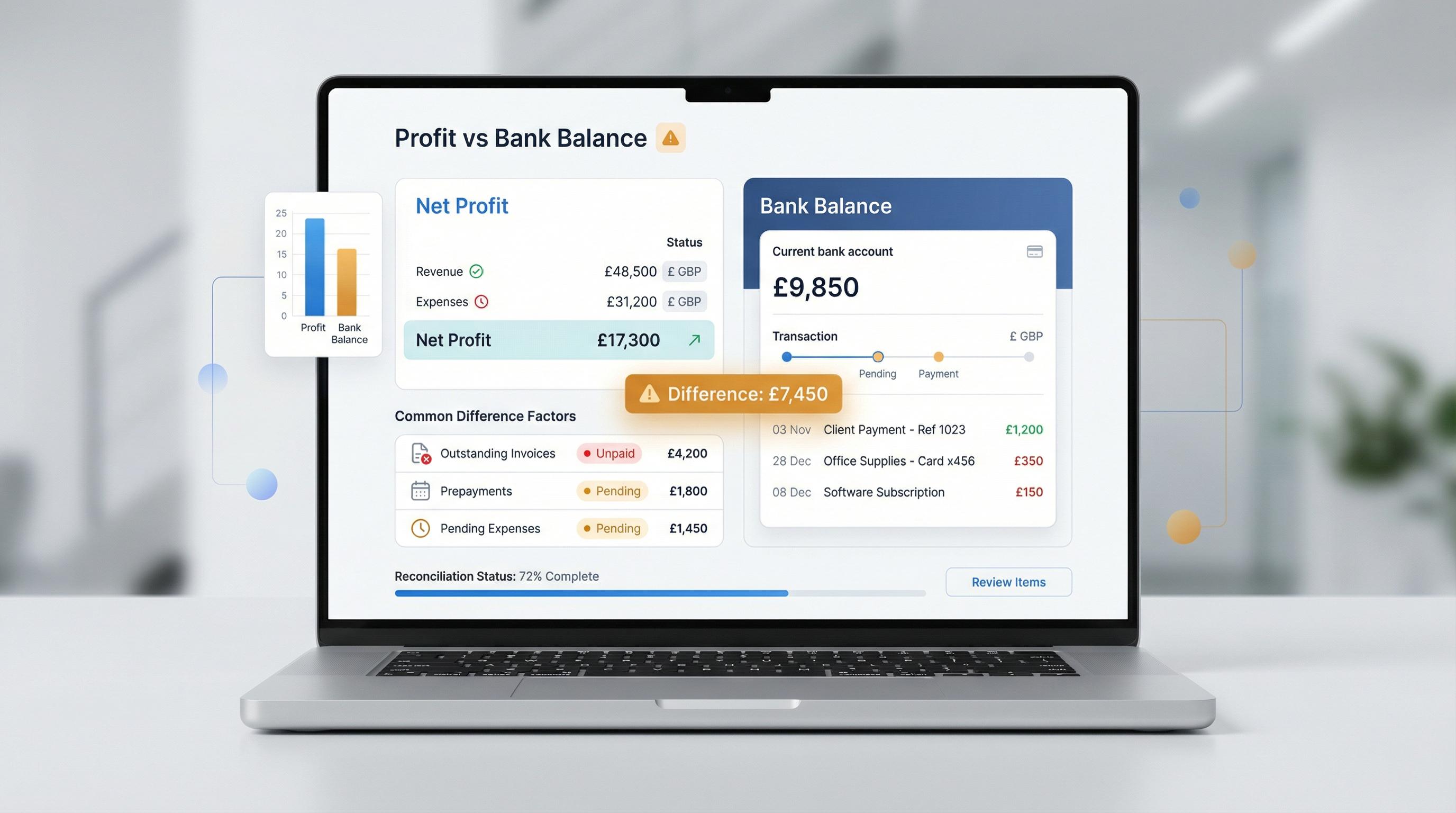
This trips up more business owners than almost anything else: profit is not the same as cash. Your P&L records revenue when it's earned, not when it's received. If you invoiced £20,000 in February but the client hasn't paid by March, your P&L says you earned that money — but your bank account says otherwise.
In the UK, this is a massive issue. Around 62.6% of invoices were paid late last year, and UK sole traders are owed an average of £42,000 in overdue invoices. A profitable business with terrible cash collection is a business on borrowed time.
P&L tells you: "You made £50,000 profit this year."
Cash flow tells you: "You've got £3,200 in the bank and payroll is due Friday."
Both statements can be true at the same time. That's why you need both reports — and Sage Accounting generates them both automatically from the same set of transactions.
Review your P&L monthly to understand profitability, but check your cash flow weekly to make sure you can actually pay your way. Two different lenses on the same business — you need both.
How Sage Accounting Generates Your P&L
Here's the good news: you don't need to build a P&L from scratch on a spreadsheet. Sage Accounting generates a real-time profit and loss report automatically from your recorded transactions. Every invoice you send, every bill you log, every bank transaction you categorise — it all feeds into your P&L.
This means you can check profitability on any given Tuesday afternoon, not just once a year when your accountant asks. And because Sage is MTD-compatible across all plans, your records are always HMRC-ready.
What you get with Sage's P&L reporting:
Real-time updates — your P&L reflects every transaction as soon as it's recorded
Period comparison — compare this month to last month, this quarter to last quarter, or this year to last year
Automatic categorisation — Sage's AI categorises transactions, so your expenses land in the right P&L lines
Cash flow alongside profitability — view your P&L and cash flow statement side by side
Custom reports (Standard and Plus plans) — build tailored views with the exact breakdowns you need
The Standard plan (currently available at £3.90/month for the first six months) also includes cash flow forecasting, budgets, and Sage Copilot — an AI assistant that can flag anomalies, remind you about deadlines, and even generate reports on a schedule.
Tip: Sage Copilot can identify unusual transactions and flag potential errors in your accounts — catching the kind of mistakes that would otherwise distort your P&L. It's like having a second pair of eyes on your numbers, without hiring anyone.
How Often Should You Review Your P&L?
The short answer: monthly, at minimum. If you're only looking at your P&L once a year at tax time, you're driving with your eyes shut.
Here's a practical review schedule that works for most UK small businesses:
Frequency What to Check Monthly Full P&L review. Compare to last month and same month last year. Check all three margins. Look for anything unexpected. Quarterly Deeper analysis. Compare to budget. Identify trends across the quarter. Review your biggest cost categories and ask: is this still right? Annually Full-year review with your accountant. Set targets for next year. Recalibrate pricing if margins have shifted. File your accounts.
A few practical tips to make P&L reviews a habit, not a chore:
Block 30 minutes in your diary on the first Monday of each month — treat it like a client meeting you can't cancel
Compare, don't just read — a single month's P&L is interesting; three months compared side by side is insightful
Ask "why?" for every number that's changed by more than 10% — don't just note the change, understand it
Share it with your team — if you have employees or a business partner, reviewing the P&L together creates accountability
Use software that makes it easy — if pulling together your P&L requires an hour of spreadsheet work, you won't do it regularly. With Sage Accounting, it's just there, updated and waiting for you
Monthly P&L reviews are the single highest-ROI habit a business owner can build. Thirty minutes a month looking at your numbers will save you from problems that take months to fix — pricing that's too low, costs that are creeping, margins that are eroding. Catch them early, fix them fast.
Putting It All Together
Reading a P&L isn't complicated — it just feels that way because nobody ever explains it in plain English. But now you know the structure, the key lines, the margins to calculate, and the warning signs to watch for. That puts you ahead of most small business owners in the UK.
Here's your action plan:
Pull up your P&L — if you use Sage Accounting, it's already there. If not, ask your accountant for the latest version.
Calculate your three margins — gross, operating, and net. Write them down.
Compare to last period — are they up, down, or flat? If they've moved more than a couple of percentage points, dig into why.
Check the benchmarks — are you roughly in line with your industry? If not, that's your starting point for investigation.
Set a monthly review date — thirty minutes, non-negotiable, every single month.
Your P&L is talking to you. All you have to do is listen.
This article is for general informational purposes only and doesn't constitute financial, tax, or legal advice. Every business is different, and you should consult a qualified accountant or financial adviser for guidance specific to your situation. Some links in this article are affiliate links — if you sign up through them, we may earn a small commission at no extra cost to you. This doesn't influence our editorial recommendations.